The Origin Story (Why This Even Exists)
How do I start this… okay, so I’m working at a startup GLC that’s technically private sector but operates like… well, a startup? We build maybe one or two web apps internally, nothing too crazy

Watching my junior developers struggling, I had this idea lah - what if we build something public? Something they can actually show in their portfolios, share with future employers, and learn proper development practices?
Two of my juniors were game, plus my colleague Irfan (who’s actually senior and helped with reviewing, CI/CD, and server setup).
The project: an expense tracking app. The highlights were about:
- Showing the public that if they open our repo, we meet common industrial standards of collaboration
- Following modern web development practices
- {Personal goal} I wanted an excuse to finally learn DynamoDB properly
Win-win situation, right?
(Narrator: It was not that simple.)
The Tech Stack Decisions
Why These Choices?
Very simple reasoning:
- I wanted to utilize my free tier AWS credits
- Wanted to give DynamoDB a proper try cuz free tier not forever
- Again, wanted to study serverless architecture and NoSQL fundamentals
- Hadn’t used Vue in production for ages (did previous one for personal, I know I know I’m biased, don’t care)
- I think it’s a good learning opportunity for the team
Frontend Stack
- Framework: Nuxt.js 4 (Vue 3) with Composition API
- State Management: Pinia 3 for reactive stores
- Styling: TailwindCSS 4 + shadcn-nuxt 2.2.0 for UI components
- Build Tools: Bun + Turborepo (this combo builds are stupid fast haha)
Backend Stack
- Runtime: Node.js on AWS Lambda
- Framework: Serverless Framework 3
- API: lambda-api
- Database: AWS DynamoDB via @aws-sdk/client-dynamodb 3
- File Processing: csv-parser for bulk imports
Not bleeding edge, not outdated. Just I personally think it’s solid choices that work well together?
System Architecture Overview
MoneyMind Architecture Flow
Frontend (Browser/User Device)
|
|
Backend (AWS Cloud)
|
|
Complete Data Flow
1. User Interaction → Frontend Processing
- User clicks button in
ExpenseDataTable.vue - Component calls Pinia store method
- Store triggers frontend service function
2. API Communication
- Frontend service makes HTTP request to API Gateway
- Request:
POST /api/expenseswith expense data
3. Backend Processing
- API Gateway routes to Lambda function
- Lambda processes business logic
- Data written to/read from DynamoDB
4. Response Flow
- DynamoDB returns data to Lambda
- Lambda sends HTTP response back
- Frontend service receives response
- Store updates reactive state
- Component automatically re-renders
Key Components
| Layer | Component | Purpose |
|---|---|---|
| Presentation | Vue Components | User interface and interactions |
| State | Pinia Stores | Reactive state management |
| Communication | Frontend Services | API call abstraction |
| Gateway | API Gateway | Request routing and handling |
| Compute | Lambda Functions | Business logic processing |
| Storage | DynamoDB | Data persistence |
Data Flow Summary
|
|
The DynamoDB Chronicles
Chapter 1: The Great Mental Model Shift
Coming from SQL way back when, my brain was hardwired for normalized tables and JOINs. First attempt at DynamoDB design:
|
|
Then I read somewhere:
“Design for your access patterns, not your data structure.”
So I was thinking:
“What do you mean design for reads?? Shouldn’t I just store data and figure out queries later??”
This was like being told to cook before knowing what ingredients you have. Completely backwards from everything I knew.
Chapter 2: The Denormalization Revelation
Old Me: “apahal aku mesti store user data with every expense? ndak ka tu inefficient?”
DynamoDB: “erm actually storage is cheap, compute is expensive ☝🏽🤓”
New Me: “OHHHHH ok so Single-table design actually makes sense ig”
The moment was realizing that in DynamoDB, you’re optimizing for query performance, not storage efficiency. A bit weird lah, but I kind of get it now.
Chapter 3: Composite Keys (The Final Boss)
The most confusing part: Why do I need BOTH expense ID AND date for operations? My brain conditioned or brainwashed by SQL kinda thinking because DynamoDB (NoSQL) its unusual for me , just couldn’t process it. Apparently, it’s like this:
-
In SQL: The primary key is a unique identifier.
- Analogy: Your IC number. It uniquely identifies who you are. That’s its only job.
-
In DynamoDB: The primary key is a query enabler and an exact address.
- Analogy: Your full mailing address. It tells the postal service exactly where to find you:
[Partition Key = Street Name]and[Sort Key = House Number].
- Analogy: Your full mailing address. It tells the postal service exactly where to find you:
My first deleteExpense function looked like this, because this is how you’d think in SQL:
|
|
But to delete an item in DynamoDB, you must provide its complete address. In my table’s design:
- The Partition Key (the “street”) is
USER#default. - The Sort Key (the “house number”) is
EXPENSE#{date}#{expenseId}.
So, to build that full address, the function must receive both the date and the ID.
|
|
This took hours… or days… to click. I kept fighting the design until I realized the primary key in DynamoDB isn’t just about ensuring an item is unique.
It’s the fundamental mechanism that enables its legendary (ok dramatic) speed.
It’s not searching for your data; it’s going directly to the precise location where it lives.
Once that clicked, the whole “design for your access patterns” thing slowly made sense for me.
PS: This is good reading and help me to digest things out too -> read here
Chapter 4: Visualizing the Single-Table Design
To understand more, here’s a visual representation of how different data items are stored in the same table and how they are queried. But before that let’s delve abit some more fundamental of DynamoDB !
There are two things, GSI1PK and GSI1SK are naming conventions for Global Secondary Index attributes in DynamoDB.
Lets break it down:
- The Naming Convention
- GSI = Global Secondary Index
- 1 = First GSI (you can have multiple GSIs, so GSI2PK, GSI3PK, etc.)
- PK = Partition Key
- SK = Sort Key
So:
GSI1PK= “Global Secondary Index 1 Partition Key”GSI1SK= “Global Secondary Index 1 Sort Key”
Then, why do we need GSIs?
Well, main table structure might be optimized for one access pattern, but usual case we need to query the same data differently. GSIs let you create alternative “views” of the data. So in this MoneyMind example:
Main Table (optimized for “get all user expenses”):
PK=USER#defaultSK=EXPENSE#2025-08-01#uuid1
GSI1 (optimized for “get expenses by category”):
GSI1PK=USER#default#CATEGORY#FoodGSI1SK=2025-08-01#uuid1
Think of it like having multiple ways to organize the same books:
Main Table = Books organized by author surname
GSI1 = Same books, but organized by genre
GSI2 = Same books, but organized by publication year
Each “index” gives you a different way to quickly find what you’re looking for without having to scan through everything.
The GSI1PK/GSI1SK naming is just a common convention to keep track of which GSI attributes belong together.
Now we know some of bitsy fundamental, lets delve the design
The Access Patterns (What I need to ask the database):
- Get all expenses for a user, sorted by date (most common query)
- Get a single specific expense
- Get all expenses in a specific category for a user, sorted by date
The Table Structure:
PK (USER#{userId}) |
SK (EXPENSE#{date}#...) |
GSI1PK (...#CATEGORY#{cat}) |
GSI1SK ({date}#...) |
Data… |
|---|---|---|---|---|
| USER#default | EXPENSE#2025-08-01#uuid1 | USER#default#CATEGORY#Food | 2025-08-01#uuid1 | { amount: 1250, … } |
| USER#default | EXPENSE#2025-08-02#uuid2 | USER#default#CATEGORY#Groceries | 2025-08-02#uuid2 | { amount: 15580, … } |
| USER#default | EXPENSE#2025-08-03#uuid3 | USER#default#CATEGORY#Transport | 2025-08-03#uuid3 | { amount: 2200, … } |
| USER#default | EXPENSE#2025-08-06#uuid4 | USER#default#CATEGORY#Food | 2025-08-06#uuid4 | { amount: 4500, … } |
Aight, aight the design philosophy and table structure is great in theory, but where does the rubber meet the road? Let’s look at the exact code in backend/src/service/expense-repository.ts that brings this single-table design to life.
The core of read operations happens in a single, smart function called getExpenses.
Access Pattern 1: Get All Expenses (Sorted by Date)
This is the most common query: fetching all expenses for a user, with the newest ones first.
The Plan:
Queryon the main table.PK=USER#defaultSKbegins withEXPENSE#
The Implementation:
When the getExpenses function is called without a specific category, it executes this block:
|
|
I think from here pretty much digestable for me to understand. Essentially what it says is it goes directly to the user’s data partition (PK) and reads the items in descending order (ScanIndexForward: false), avoiding any slow Scan operations.
Access Pattern 2: Get Expenses by Category
This is where the real power of NoSQL (DynamoDB) design shines I think its unique, using the Global Secondary Index (GSI) to ask a completely different question without sacrificing performance.
The Plan:
Queryon theCategoryDateIndex(the GSI).GSI1PK=USER#default#CATEGORY#Food
The Implementation:
If the getExpenses function receives a category, it pivots and uses the GSI. Example:
|
|
By simply specifying IndexName: 'CategoryDateIndex', we tell DynamoDB to use specially designed index. It then uses the GSI1PK to instantly retrieve all expenses for that category, already sorted by date.
This is the tangible result of “designing for your access patterns.” The code is clean, efficient, and directly reflects the intelligent data modeling we did upfront ^_^
Chapter 5: The Database Filtering Stuff
After a code review, I got this feedback from Irfan:
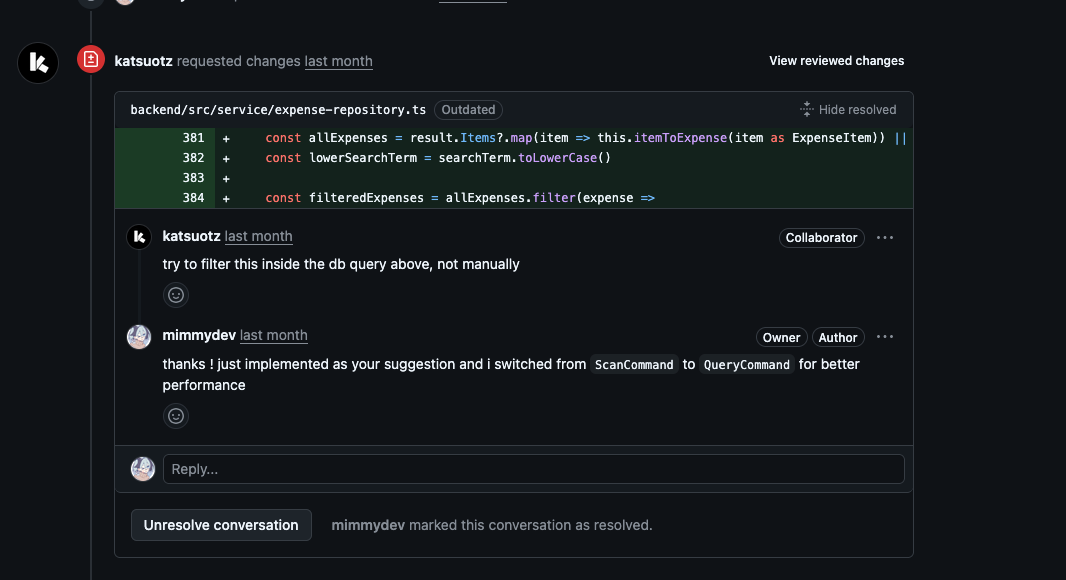
My initial approach was using a Scan. For those unfamiliar with DynamoDB, a Scan is the equivalent of a full table scan in SQL, but often worse.
- Analogy: Imagine going to a library and having to read the title of every single book on every shelf just to find the ones about “programming.”
It works, but it’s incredibly slow and you get charged for every book you look at.
My code was reading every single expense from the database into the Lambda function’s memory, and then filtering them using JS. This is expensive, slow, and does not scale haha
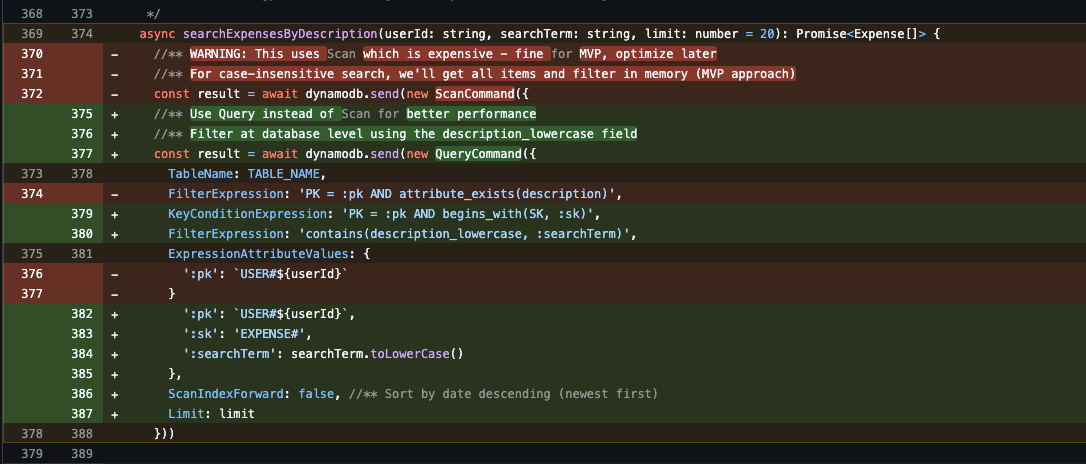
One of the Solution: Query with a FilterExpression
Essentially the approach is to use a Query, which is far more efficient.
- Analogy: A
Queryis like using the library’s computer. You type in your search term, and it tells you exactly which aisle and shelf to go to.
Here’s how I fixed it:
- Enrich the Data: I added a
description_lowercaseattribute to every expense item. DynamoDB queries are case-sensitive, so storing a normalized, lowercase version is essential for case-insensitive searching. - Modify Creation/Update Logic: All methods for creating or updating expenses were modified to automatically include this new lowercase field.
- Switch to
QueryCommand: The search function was rewritten to use aQueryon the user’s partition (PK=USER#default). This efficiently reads all expenses for that user. - Apply
FilterExpression: Then used aFilterExpressionto ask DynamoDB to only return the items from that query result where thedescription_lowercasecontained the search term.
Performance Impact:
- Before (
Scan): Read ALL 100 expenses from DB -> Load all into Lambda memory -> Filter down to 5 results in code. - After (
Query+Filter): Read all 100 expenses for the user (fast because of the PK) -> DynamoDB filters them down to 5 results -> Return only the 5 relevant items.
This is much more efficient as it reduces the amount of data sent over the network and the amount of work the Lambda function has to do.
Thanks to Bro Irfan’s hint. I didn’t just fix a bug, I learned a fundamental lesson in performance optimization!
Final Chapter: What’s My Hot Take?
I am typing all these and I admit the learning curve to NoSQL (well in this case DynamoDB) is steep, AI really helps me out to study along the way if without AI I probably just abandon this actually as the learning feels more like a chore instead of fun.
So what’s my take after learning this? If people ask or for whatever reason I have the power to do database design, most likely I will ask myself before choosing DynamoDB or either SQL or NoSQL:
-
“Can I list my top 5 access patterns right now?”
- If no → stick with SQL
-
“Is the team ready for the NoSQL learning curve?”
- DynamoDB isn’t just “SQL without schemas” - it’s a different way of thinking
-
“Am I choosing this because it’s trendy? the internet say so? or because it solves my actual problem?”
- Be honest about the motivations, in this case its purely for personal studies so why not! and I designed DynamoDB in simple way because:
- Simple access patterns: “get user’s expenses”, “search by description”, “filter by category”
- No complex relationships (expenses don’t JOIN with orders, inventory, etc.)
But hey just wanted so say MySQL would have worked just fine too ! I chose DynamoDB for learning purposes, not because the project demanded it.
Most applications don’t actually need NoSQL’s complexity I think? that’s why SQL thinking is quite famous. Well, I admit too I myself never heard anyone talk or brag saying
“ah my company use DynamoDB”
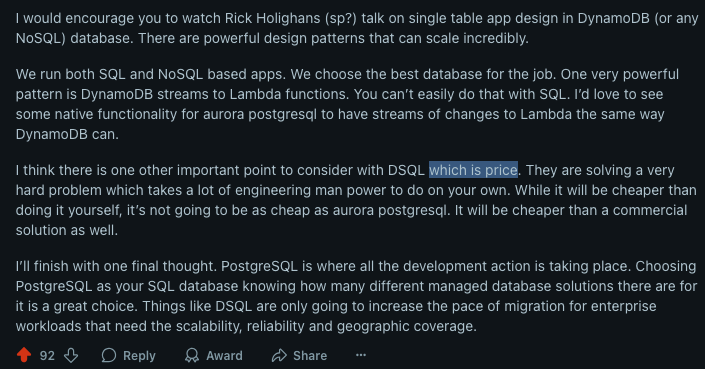
Anyway yeah, maybe I just need to touch grass and talk more to people outside there not checking reddit, pretty sure there are tons out there right..
Frontend Architecture & Component Patterns
I tried to avoid frontend tasks as thats my common task in work and let the juniors shine here, so I chipped in code reviews here and there. Starting from here, I think the main parts would be what I found after refactor/bug fixes/code reviews.
Layout Standardization Refactor
Recent lesson for the juniors: Identify code duplication early.
Problem Found: Each page had different spacing approaches (p-4 vs px-4 sm:px-6 lg:px-8)
Solution: Created PageContainer.vue component with consistent structure and flexible slots:
|
|
Key Lessons for Junior Developers (even for me):
- When there is same UI pattern 3+ times, create a component
- Favor composition with slots over copy-paste code
- Think in systems, not individual components
- Refactor incrementally and test each change
The Bug Hunt Chronicles
1. The SSR Hydration Usual Thing
Problem: Direct visits to /expenses showed empty state despite there being at least 20 expenses in DB. If I go to homepage then go to expenses again, it finally shows the data.
Root Cause: Hydration mismatch - server rendering one thing, client expecting another.
Solution: Moved data fetching to onMounted, wrapped reactive properties in computed()
Lesson: Sometimes the obvious solution (copy what already works - home page works fine but why not expenses? essentially it does same thing just fetching different data) is the right one haha.
2. The Delete Function Dysfunctional
Problem: My Delete is not working. It’s part of MVP so I wanted it to work.
Root Cause: Thanks to me doing the foundation with proper Bruno API docs, otherwise my dory🐠 memory wouldn’t remember I actually designed it in a way that there’s API compliance needed to follow (expense_id and expense_date must be together).
Solution: Easy fix once I checked the docs.
Lesson: Fellas!!!! docs Important. Very Important for short-term memory like me.
There are many more but boring to mention. Feel free to check the repo’s PR lol.
What Actually Works Now
The Dashboard
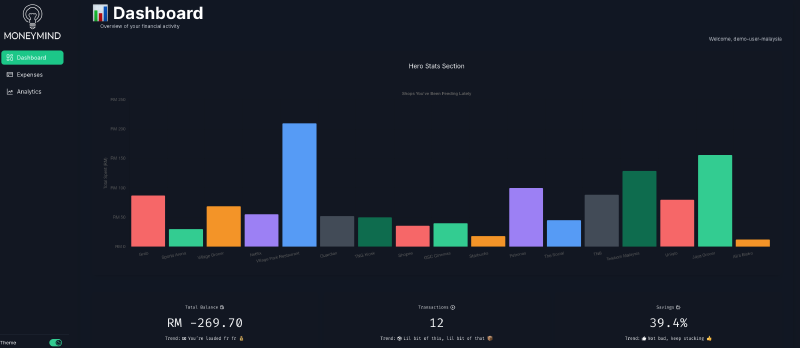
Financial overview without information overload. Key metrics displayed prominently, charts that tell a story, quick access to recent transactions. Simple jak lah. Even user is hard coded now.
Expense Management
- Data table with proper CRUD operations
- Bulk CSV import
- Search and filtering that actually performs well
Analytics That Matter
Visual charts showing category breakdowns and spending trends. Not revolutionary, but gives you those
“aw hell nah dawgg, I spent HOW MUCH on Grab Food?”
moments. I definitely wanted something like that haha.
Key Lessons That Stick
1. API Documentation Saves Lives: Bruno API collection was clutch. When things broke, having exact specifications meant proper fixes instead of guessing games.
2. Component Architecture > Clever Code: Spent more time refactoring relationships than writing features. But now adding functionality is enjoyable instead of stressful.
3. Code Reviews Matter: That database filtering feedback improved performance significantly. Fresh eyes catch what you miss.
4. Design for Reads in NoSQL: Biggest mindset shift from SQL. Once it clicked, everything else fell into place.
What Could Be Next (If We Continued)
I don’t personally plan to continue this project, but I do think about what could be improved:
Bug Fixes
- Buggy calculation here and there like saving?
- Hardcoded values for example mentioned
You’re loaded fr fr 💰when my balance is negative…? yeah loaded negative I guess💀
Immediate Improvements
- Bruno docs is outdated and some are unnecessary haha but core functions works!
- Implement JSON upload feature using the endpoint (check Bruno docs for specs)
- Enhance CSV upload with size limitations and better validation feedback
- Refine styling and UI/UX - add instant gratification animations for add/delete/modify actions, not just toast notifications
- Fix dark/light theme consistency - some text elements aren’t following the schema properly
User Experience Enhancements
- Make graphs more descriptive with better interactions and color schemes
- Add proper favicon and meta tags
- Implement loading skeletons instead of basic loading states
- Add drag & drop for file uploads
- Implement keyboard shortcuts for common actions
The foundation is solid, these would just be polish and user experience improvements.
Wrapping Up
Writing this down helps me understand what I actually built vs what I think I built (they’re often different lol).
I am not even kidding!! I mean look at the initial design lol:
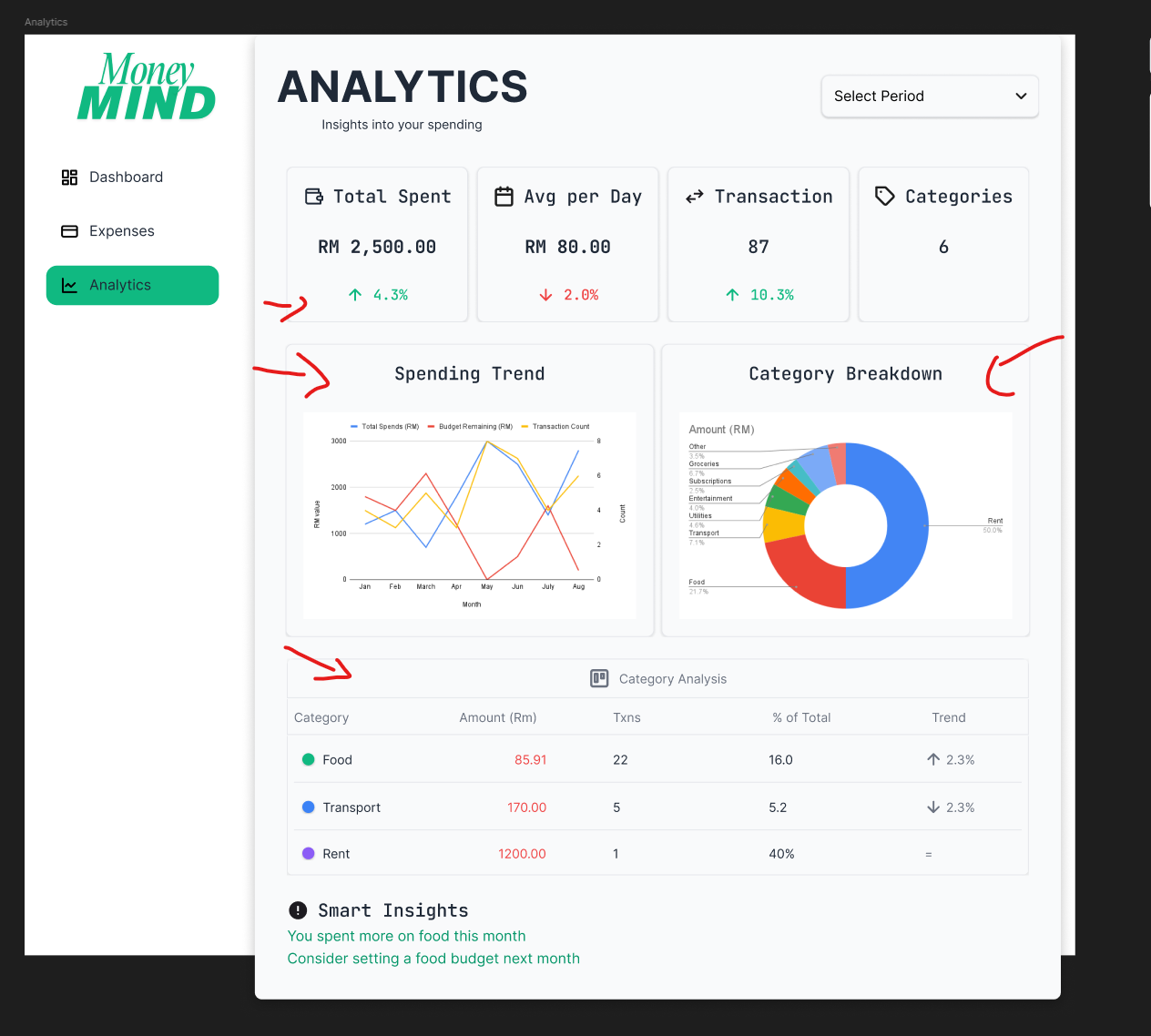
Also realized I went from “just make it work” to “let’s think about maintainability” somewhere along the way. That’s probably growth? Or just accumulated frustration from debugging poorly structured code haha.
Either way, MoneyMind works, the architecture feels ok la ig? and the juniors got proper hands-on experience with modern development practices. Mission accomplished!!!!!!
Thank you for reading
Acknowledgments
I’d like to take this moment to thank 3 peeps who contributed to this project: